





How To Connect Your Phone To Jeep UConnect System
How To Connect Your Phone To Jeep UConnect System
Get a Fantastic Jeep With the UConnect System Here at Greeley Chrysler Dodge Jeep Ram!
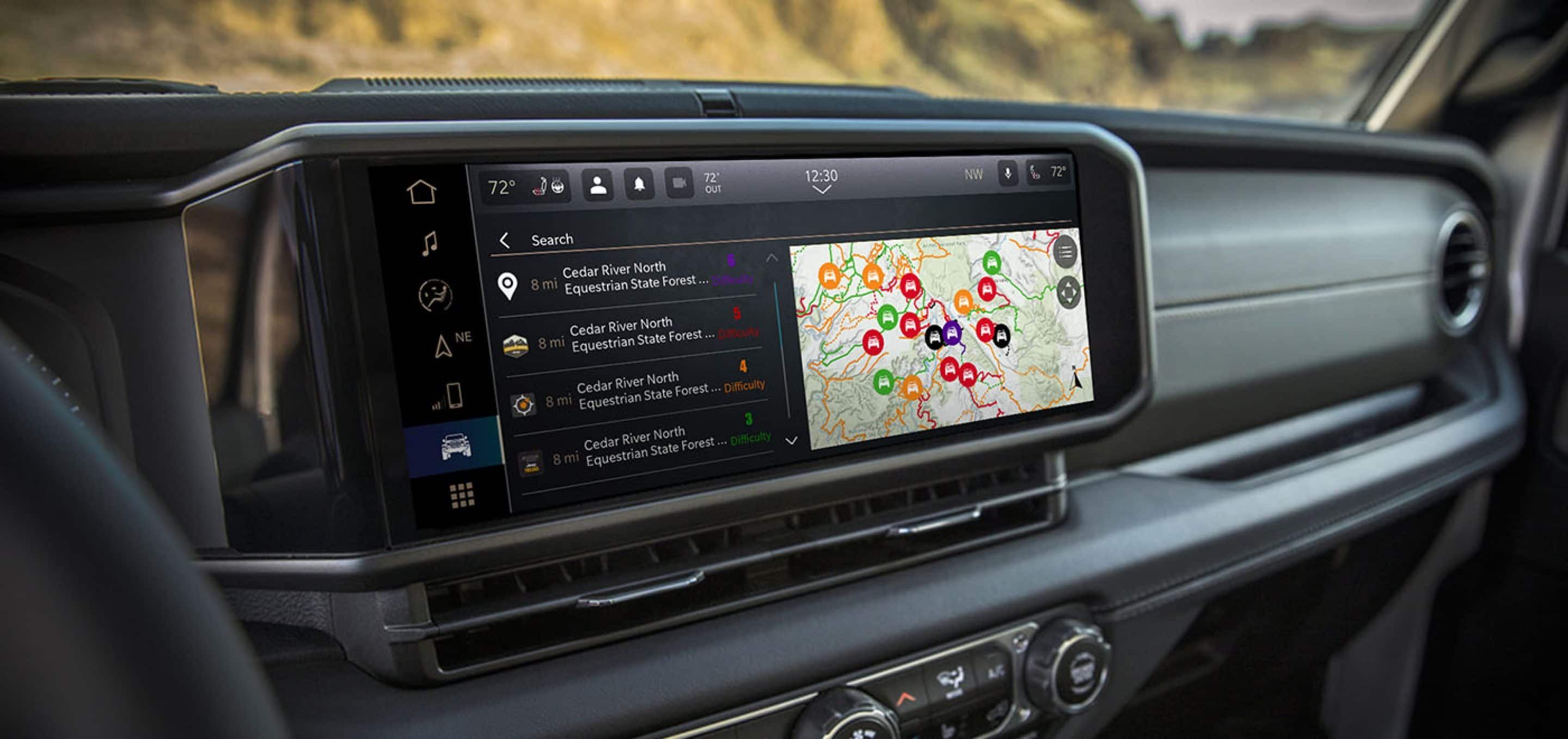
There is nothing quite like hitting the road in a Jeep, but the experience gets even better when your smartphone connects seamlessly to your vehicle. Jeep's Uconnect system is an absolute game-changer, transforming your dashboard into an intuitive tech hub that handles your favorite navigation apps, custom playlists, and hands-free calls without missing a beat or distracting you from the trail ahead. If you are looking to upgrade your daily drive, we have a wide range of brand-new and certified pre-owned Jeeps equipped with the latest Uconnect systems waiting for you at Greeley Chrysler Dodge Jeep Ram. We are located just a quick, scenic 45-minute drive from Fort Collins via I-25 S and E US-34, and our team absolutely cannot wait to see you and hand over the keys for a test drive. Keep reading below, and we will walk you through exactly how to pair your smartphone to the Uconnect system so you can hit the Northern Colorado roads completely connected!
Why Should You Pair Your Phone with Jeep's Uconnect?
Connecting your smartphone to the Uconnect system completely transforms your daily drive from a routine commute into an immersive, connected experience. By syncing your device via Bluetooth, you unlock the full potential of your vehicle's cabin, allowing you to access vital features without taking your eyes off the road. When you pair your phone, you get immediate access to:
- True Hands-Free Control: Make and receive important phone calls seamlessly through wireless connectivity, keeping your hands safely on the wheel.
- Your Personal Soundtrack: Stream your favorite playlists, podcasts, and audiobooks directly through your Jeep's high-quality speaker system.
- Intuitive Troubleshooting: The freedom to easily delete and re-pair your device from both your phone and touchscreen settings if your connection ever drops or acts up.
How Do You Connect Your Smartphone to Jeep's Uconnect?
Setting up your connection takes less than two minutes and requires zero technical expertise. Before you start, make sure your vehicle is safely parked so you can navigate the screens comfortably. Follow these simple steps to get synced up:
- Activate Your Phone's Bluetooth: Open your phone's settings menu, tap on the Bluetooth section, and switch the toggle to "On."
- Prompt the Uconnect System: Tap the "Phone" icon on your Jeep's touchscreen, go to "Settings," select "Paired Phones," then click "Add Device" (depending on your software version, you may need to go through "Phone/Bluetooth" first).
- Match and Confirm: Select your Jeep's Uconnect system from your smartphone's Bluetooth discovery list, verify that the passkey or PIN matches on both screens, and tap "Yes" to set your device as a favorite.
- Grant Android Permissions: If you are using an Android device and the scanning pauses, hit "Scan" again, and remember to allow permission for your contacts and messages to download when prompted.
Unlock Premium Entertainment on the Go With Your Jeep UConnect
Once your phone is hooked up, the entertainment options inside your Jeep expand dramatically, giving you a front-row seat to world-class audio content. Whether you are driving around town or heading out on a long Colorado road trip, the cabin becomes your personal media hub. With your system fully running, you can enjoy:
- SiriusXM Satellite Radio: Dive into a massive lineup of ad-free music, live sports, comedy, breaking news, and exclusive talk shows included in your trial subscription.
- The SiriusXM App: Take the entertainment with you outside the Jeep or unlock app-only exclusives, podcasts, and deep-dive interviews with your favorite artists and creators.
- Custom Audio Streaming: Effortlessly switch between satellite radio and your phone's native audio apps with a tap on your steering wheel or touchscreen.
Maximize Your Jeep's Performance and Health With UConnect
Uconnect is much more than an entertainment center; it acts as a digital co-pilot that helps you monitor and maintain your Jeep's internal health. Keeping up with the latest automotive technology ensures that your vehicle runs safely and efficiently for years to come. Your Uconnect platform helps you stay ahead of maintenance with:
- Automatic Software Updates: Enjoy the convenience of over-the-air updates delivered straight to older and newer vehicles, keeping your system at peak performance.
- Manual USB Downloads: Easily download the latest software to a standard USB drive if your specific vehicle doesn't support wireless updates.
- Comprehensive Health Reports: Stay informed with monthly Vehicle Health Reports delivered straight to your email inbox, giving you a clear picture of your Jeep's intricate internal systems.
- Branded Vehicle Apps: Put a digital glovebox right at your fingertips to schedule upcoming service appointments, manage your connected features, and view exclusive owner offers.
Let the Team at Greeley Chrysler Dodge Jeep Ram Help You Connect
We know that mastering vehicle technology can sometimes feel a bit overwhelming, but you don't have to figure it out alone. Whether you are ready to test out the Uconnect system in a brand-new Jeep or need a little hands-on help pairing your current smartphone, our friendly team is always here to make things easy. Swing by our showroom to explore our massive lineup of Uconnect-equipped vehicles, or fill out the contact form below to get your questions answered or to schedule a test drive today!
Key Takeaways
Q: What should I do first if my smartphone loses its connection or won't pair with the Uconnect system?
A:
Before attempting to re-pair, you must completely delete the existing pairing history from both your smartphone's Bluetooth settings and your vehicle's Uconnect touchscreen. Once cleared, you can start the pairing process fresh.
Q: How do I put the Uconnect touchscreen into pairing mode to add a new phone?
A:
Go to your touchscreen, select "Phone," open "Settings," and then press "Paired Phones" followed by "Add Device." Depending on your radio version, you may need to select "Settings," tap "Phone/Bluetooth," and then choose "Paired Phones" and "Add Device."
Q: What do I need to do on my smartphone to finish the Bluetooth connection?
A:
Select your Uconnect system from your phone's Bluetooth device list and confirm that the passkeys displayed on both screens match. Android users should press "Scan" if the phone stops searching, and make sure to accept the prompts that allow access to contacts and messages.
Q: How can I keep my Uconnect system updated with the latest features and software?
A:
Select 2013 and newer vehicles automatically receive software updates wirelessly over the air. If your Jeep does not support over-the-air updates, you can check for the latest software online, download it to a USB drive, and manually install it in your vehicle.

Although every reasonable effort has been made to ensure the accuracy of the information contained on this site, absolute accuracy cannot be guaranteed. This site, and all information and materials appearing on it, are presented to the user “as is” without warranty of any kind, either express or implied, including but not limited to the implied warranties of merchantability, fitness for a particular purpose, title or non-infringement. All vehicles are subject to prior sale. Price does not include applicable tax, title, and license. Not responsible for typographical errors. May not represent actual vehicle. (Options, colors, trim and body style may vary) Total discounts include available manufacturer rebates.
Max payload/towing estimate ratings shown. Additional options, equipment, passengers, and cargo weight may affect payload/towing weights. See dealer for details.